Plan inspections for specific work stages
Assign an inspector, site location and inspection date. Include the relevant drawing revision, checklist and work to be checked, such as reinforcement or waterproofing before it is covered.
Give construction supervision teams a clear record of site inspections, quality findings and contractor corrections. Use mobile checklists to document the work inspected, drawing references, defects and photos. Create, edit and sign construction inspection reports directly in the ActiveMap mobile app using your project's forms.

Connect each inspection finding to the project, work area and responsible contractor. Keep the original observation and the result of a later recheck together.
Assign an inspector, site location and inspection date. Include the relevant drawing revision, checklist and work to be checked, such as reinforcement or waterproofing before it is covered.
Document observed conditions, measurements and photo references against the agreed inspection criteria. Identify the defect, assign corrective work to a contractor and set a deadline.
Compare the original finding with the contractor's repair notes and photos. Record the recheck result and any remaining issues before the responsible reviewer updates the finding's status.
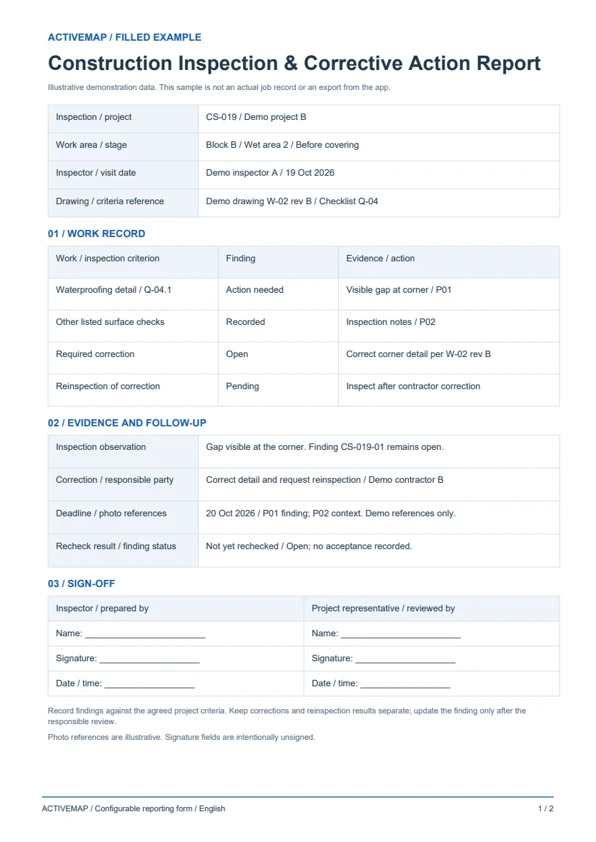
Replace paper inspection sheets with a structured supervision report. Record the work checked, findings, required corrections and reinspection results, then edit and sign the document in the app. The PDF includes a filled inspection example and a blank construction inspection report template.
An inspection record for construction supervisors, quality inspectors and client representatives checking work against project requirements.
Illustrative reports with demonstration data. Your fields and document layout can be configured in ActiveMap.
Upload and configure your existing template yourself, or ask the ActiveMap team to help. Define the fields, photos and signatures your process requires, then reuse the form for future jobs.
Yes. You can configure your template yourself or have the ActiveMap team set it up for your workflow.
Yes. Staff can create, edit and sign reporting documents directly in the mobile app, reviewing the details before final sign-off.
Yes. Configure a form for the work stage and record its location, drawing reference, checks and photos before covering. Include findings, required corrections and reinspection details in the report for review under your project's process.
Bring a report your team uses today. See how to complete, edit and sign it in ActiveMap.