Schedule recurring cleaning jobs
Assign daily, weekly or one-off cleaning by location, team and deadline. Include the agreed scope and site access instructions so each visit starts with the right information.
Manage commercial cleaning across offices, shops and shared facilities. Assign recurring jobs, guide cleaners with mobile checklists and review before-and-after photos. Create, edit and sign cleaning completion reports directly in the ActiveMap mobile app using your customer's reporting format.

Give cleaners clear instructions and supervisors a record of completed work, missed areas and issues that need another visit.
Assign daily, weekly or one-off cleaning by location, team and deadline. Include the agreed scope and site access instructions so each visit starts with the right information.
Use digital cleaning checklists for floors, washrooms, shared areas and waste removal. Record results and before-and-after photos for the areas checked.
Record an unfinished task or quality issue, assign corrective work and review the new evidence. Keep follow-up work linked to the original cleaning visit.
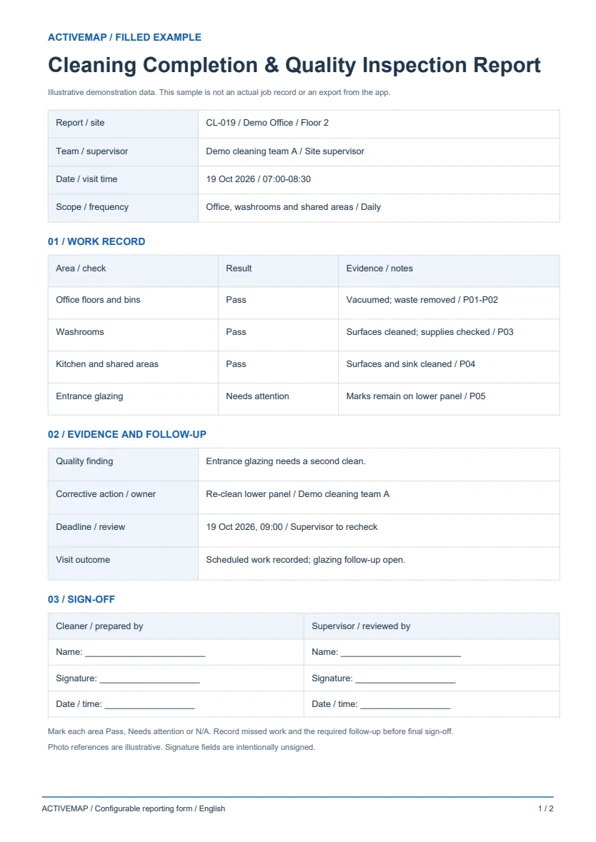
Replace paper cleaning logs with a report completed on site. Record the areas serviced, checklist results, photos and outstanding issues, then review and sign the document in the app. The sample includes a filled example and a blank cleaning report template.
A practical visit record for cleaning companies and supervisors checking work across multiple sites.
Illustrative reports with demonstration data. Your fields and document layout can be configured in ActiveMap.
Upload and configure your existing template yourself, or ask the ActiveMap team to help. Define the fields, photos and signatures your process requires, then reuse the form for future jobs.
Yes. You can configure your template yourself or have the ActiveMap team set it up for your workflow.
Yes. Staff can create, edit and sign reporting documents directly in the mobile app, reviewing the details before final sign-off.
Yes. Set up locations and cleaning tasks for each site. Use the agreed checklist and reporting form at each location, then review completed visits and outstanding work from one system.
Bring a report your team uses today. See how to complete, edit and sign it in ActiveMap.