Plan the workshop's maintenance assignments
Specify the workshop, production area and equipment ID. Assign the crew, planned date and checklist for the scheduled inspection or maintenance job.
Organise equipment inspections and maintenance work in metallurgical plants, rolling mills and supporting workshops. Assign jobs to maintenance crews and contractors, record defects against equipment IDs and keep photographs with the work record. Create, edit and sign shift maintenance reports directly in the ActiveMap mobile app.

Give maintenance teams and workshop supervisors a shared record of the checks performed, reported defects and work left for the next shift.
Specify the workshop, production area and equipment ID. Assign the crew, planned date and checklist for the scheduled inspection or maintenance job.
Enter the observed condition and measurements taken under the plant procedure. Add photographs, maintenance notes and materials used to the equipment's task record.
Check the work reported by the crew or contractor. Keep unresolved defects, responsible people and due dates in the report, then sign it in the app and assign follow-up work.
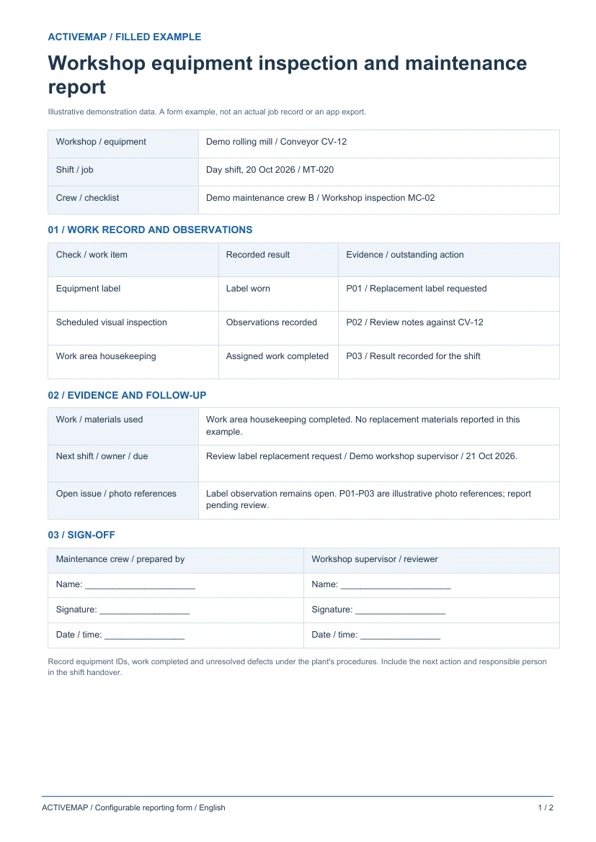
Replace paper shift sheets with a structured record of equipment checks and maintenance. The PDF contains a filled example and a blank form for workshop teams and maintenance supervisors.
A shift reporting form linking equipment IDs to observed defects, completed maintenance and outstanding actions at a steel or metals plant.
Illustrative reports with demonstration data. Your fields and document layout can be configured in ActiveMap.
Upload and configure your existing template yourself, or ask the ActiveMap team to help. Define the fields, photos and signatures your process requires, then reuse the form for future jobs.
Yes. You can configure your template yourself or have the ActiveMap team set it up for your workflow.
Yes. Staff can create, edit and sign reporting documents directly in the mobile app, reviewing the details before final sign-off.
Record unresolved defects and the next action against the equipment and task. Include the responsible person, deadline and supporting photographs in the shift report so the incoming team can identify the remaining work.
Bring a report your team uses today. See how to complete, edit and sign it in ActiveMap.